
Top 7 High-Value Workflows That Cut Costs, Reduce Mistakes & Scale Operations
Most businesses think cost-cutting starts with reducing headcount or slowing down projects. But the truth is far simpler — and far more sustainable.
The biggest cost inside a modern team is operational waste:
- delays
- manual handoffs
- scattered information
- repeated tasks
- forgotten follow-ups
- human errors
These problems quietly drain time, money, and energy. They also limit a team’s ability to scale. And none of them are solved by hiring more people or forcing the team to “work harder.”
This is where high-value automation workflows create measurable impact.
Automation isn’t about replacing people — it’s about removing friction so they can do their best work. When your workflows run smoothly in the background, your team moves faster, makes fewer mistakes, and delivers a consistently better experience.
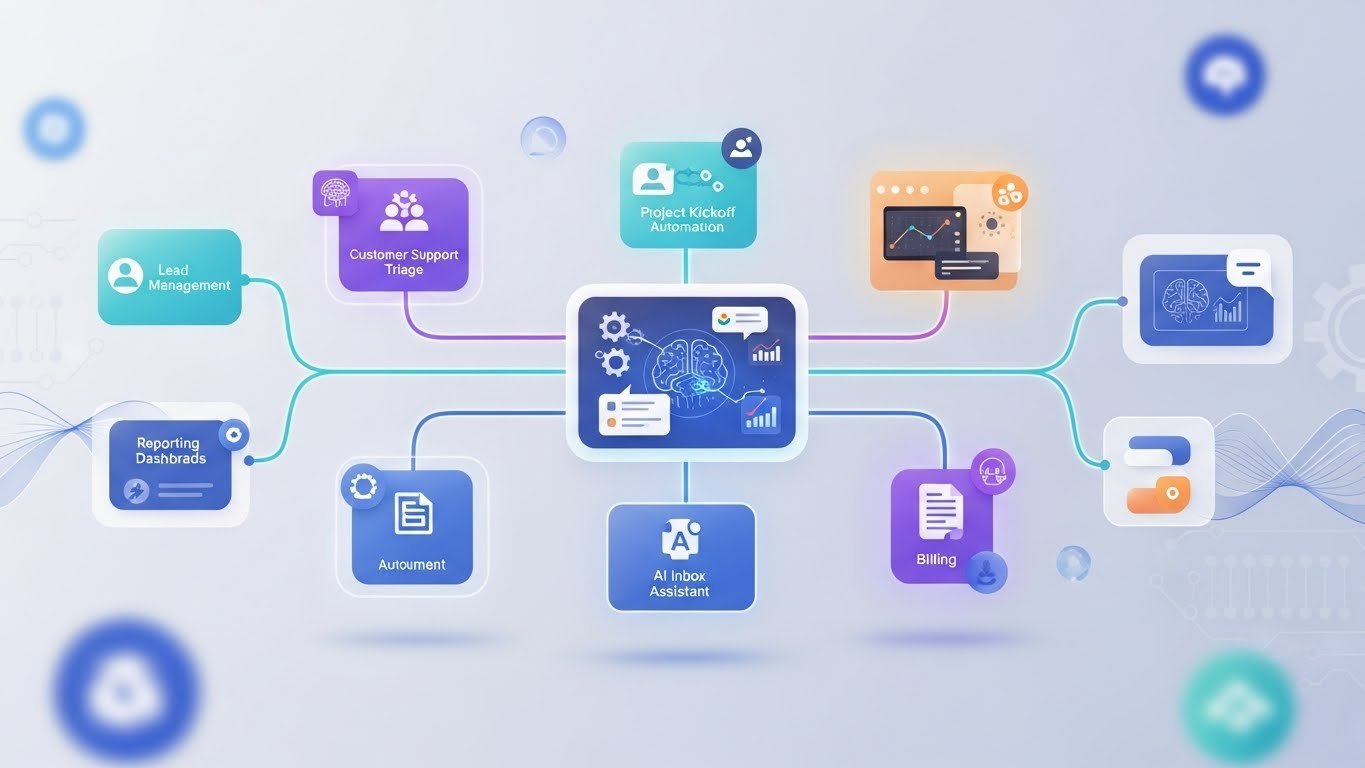
Below are seven proven workflows that reduce operational costs, streamline delivery, and support scaling — without adding complexity or reducing team morale.
1. Lead-to-Conversion Automation (Revenue Impact)
Why This Workflow Matters
Manual lead handling drains time and costs businesses real revenue. Missed leads, late responses, incomplete CRM entries, and inconsistent follow-ups all create unnecessary losses.
Most businesses underestimate how expensive it is to lose a lead — even one.
What High-Value Impact Looks Like
- Faster response times improve conversion
- No missed or forgotten leads
- AI qualification improves prioritization
- Consistent follow-ups reduce drop-offs
- Clearer visibility into the sales pipeline
This workflow doesn’t just save time — it directly protects revenue.
How the Workflow Works
- A lead submits a form
- AI extracts and categorizes the details
- CRM updates instantly
- Personalized follow-up message is sent
- Sales receives immediate Slack or email alerts
- Lead progresses through a consistent journey
How Sync Genie Helps
We design complete lead pipelines that remove delay and create predictable, efficient follow-up systems that run 24/7.
2. Customer Support AI Triage (Cost Reduction + SLA Improvement)
Why This Workflow Matters
Support teams often spend more time sorting and triaging requests than actually solving them. This creates backlogs, slow responses, and high operational pressure.
High-Value Impact
- Prioritization becomes instant
- Repeated questions get answered automatically
- Tickets reach the right person faster
- SLAs improve
- Support teams reduce burnout
This workflow cuts operational load significantly — more than any “hours saved” metric can express.
How the Workflow Works
- AI reads incoming messages
- Categorizes them by topic, urgency, and intent
- Routes them to the correct team
- Auto-replies to common questions
- Flags high-risk or priority issues
How Sync Genie Helps
We build AI triage systems that reduce support pressure and create a smoother, more predictable workflow for teams and customers.
3. Automated Project Kickoff & Client Updates (Delivery Speed)
Why This Workflow Matters
Project delays often start before the work begins — missing assets, unclear requirements, forgotten steps, or inconsistent onboarding.
A slow or messy kickoff is a silent cost that impacts timelines, customer satisfaction, and internal efficiency.
High-Value Impact
- Reduce project delays
- Smooth onboarding for every client
- Reduce back-and-forth messages
- Fewer missing files or unclear requirements
- Weekly client updates delivered automatically
How the Workflow Works
- When a project is confirmed → tasks, folders, and templates auto-generate
- Client receives onboarding information instantly
- AI checks for missing details
- Weekly summaries are generated automatically
- Stakeholder updates delivered in Slack or email
How Sync Genie Helps
We automate delivery pipelines so teams spend more time doing the work — not setting it up.
4. Automated Reporting & Data Sync (Executive Insight)
Why This Workflow Matters
Leadership decisions depend on accurate, timely information.
But manual reporting is slow, inconsistent, and prone to error.
High-Value Impact
- Better strategic decisions
- Zero spreadsheet chaos
- Consistent reporting
- Real-time visibility
- No manual data pulling
This workflow improves not just efficiency — but clarity, accuracy, and organizational confidence.
How the Workflow Works
- Data synced across tools (CRM, sheets, forms, analytics)
- Scheduled reports sent automatically
- AI-generated summaries highlight insights
- Dashboards update continuously
How Sync Genie Helps
We build reporting systems teams trust — automated, accurate, and always up-to-date.
5. Contract, Proposal & Document Automation (Sales + Ops Efficiency)
Why This Workflow Matters
Sales and operations teams lose hours creating proposals, contracts, documents, and properly filing them.
Document friction creates inefficiency and slows down the entire business.
High-Value Impact
- Faster proposal turnaround
- Consistent branding and formatting
- No lost or misfiled documents
- Faster contract cycles
- Cleaner operations
How the Workflow Works
- AI generates proposals from templates using client data
- Contracts are auto-populated with correct details
- Signed documents routed to the correct folders
- Project or client files created automatically
How Sync Genie Helps
We automate document lifecycles — perfect for sales teams, agencies, real estate, operations, legal, and service-based businesses.
6. AI Inbox Assistant for Managers (Executive Time Savings)
Why This Workflow Matters
Managers and leaders lose hours every day sorting emails, reading long messages, extracting tasks, and remembering follow-ups.
This contributes heavily to decision fatigue and constant backlog pressure.
High-Value Impact
- Clarity and faster decisions
- Fewer missed follow-ups
- Reduced communication overload
- Cleaner task tracking
- Less mental burden
How the Workflow Works
- AI summarizes email threads
- Extracts tasks + deadlines
- Categorizes conversations
- Notifies managers of important items
- Highlights urgent priorities
How Sync Genie Helps
We build AI assistants that support leadership — giving them clarity, focus, and more mental space for strategic work.
7. Billing, Payment Follow-ups & Cash Flow Automation (Finance Impact)
Why This Workflow Matters
Late payments and manual follow-ups choke cash flow and impact business stability.
This is one of the most valuable automations because cash flow is the heartbeat of every business.
High-Value Impact
- Fewer overdue payments
- Faster payment cycles
- Better financial visibility
- Reduced admin workload
How the Workflow Works
- Smart invoice reminders
- Payment status updates synced automatically
- Failed payment detection
- Monthly revenue summaries
- Auto-sent follow-up messages
How Sync Genie Helps
We help teams automate financial loops that directly improve cash flow — one of the highest value areas to automate.
The Real Cost Reduction: Removing Operational Waste
When high-value workflows run automatically, businesses consistently achieve:
✔ 20–40% reduction in operational waste
✔ Dramatically fewer errors
✔ Faster project delivery
✔ Better customer experiences
✔ Less pressure on staff
✔ Predictable, scalable workflows
✔ No need for additional headcount as you grow
This is the true power of automation:
reducing friction, not reducing people.
Conclusion
AI-powered automation is no longer a technical luxury — it’s a practical way for modern teams to eliminate waste, improve delivery, and create more space for meaningful work.
You don’t need to automate everything.
You don’t need to understand the technology.
You simply need to start with one high-impact workflow that removes real friction from your business.
With the right guidance, automation becomes one of the simplest and most effective upgrades a business can make.
Ready to remove operational waste and streamline your team’s workflow?
See high-impact workflows inside the Automation Library.


